
Free Birthday Gift Card Holder SVG – Cute Penguin Design
DIY Birthday Gift Card Holder
This post may contain affiliate links. As an Amazon Associate, I earn from qualifying purchases. Please see my privacy policy for full details.

This week’s Free Penguin Birthday Gift Card Holder SVG is such a fun one to make and even more fun to give. Whether you’re crafting a birthday surprise for a little one or want something more creative than a typical card, this adorable penguin design is a great way to add a handmade touch. With just a few pieces of cardstock and HTV, you can create a cute and personal Cricut gift that holds a standard gift card. The file includes the gift card holder and a matching envelope.
Free Penguin SVG Birthday Card Holder Close-Up
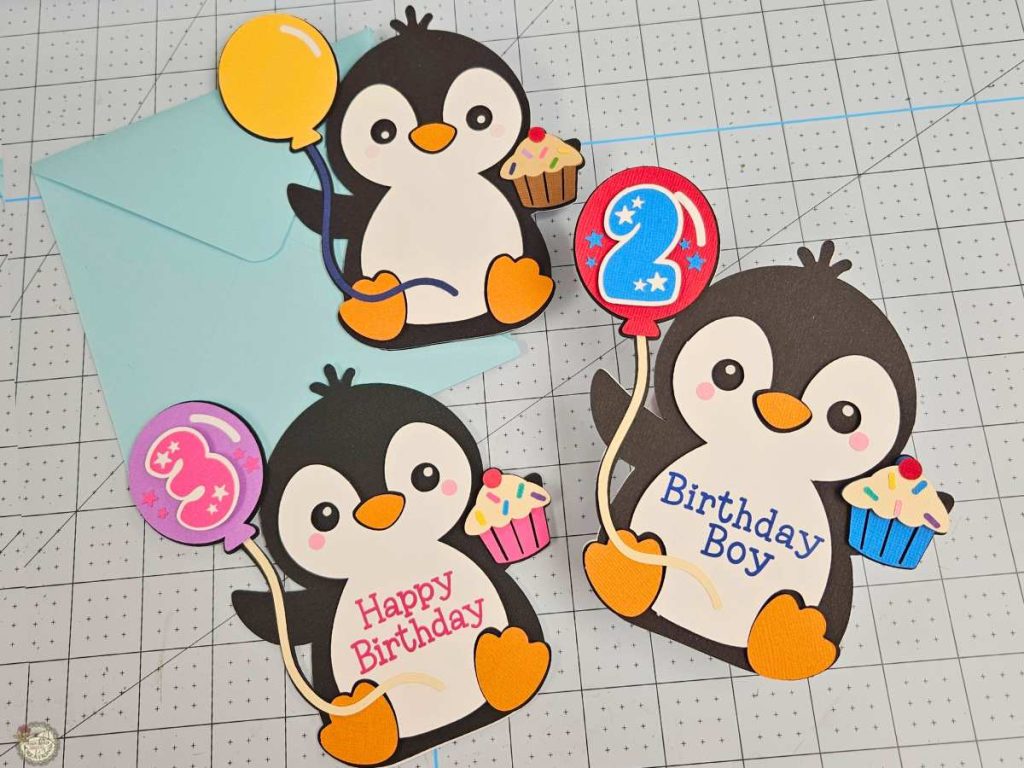
Here’s a closer look at the finished project. The layered cardstock adds so much dimension, and that cute little cupcake detail is one of my favorites. This Free Penguin Birthday Gift Card Holder SVG is perfect for adding a personalized touch. You can stick with the Happy Birthday version, add a name, or change the balloon to match the age of the birthday boy or girl. A little foam tape brings the design to life and gives it a polished look.
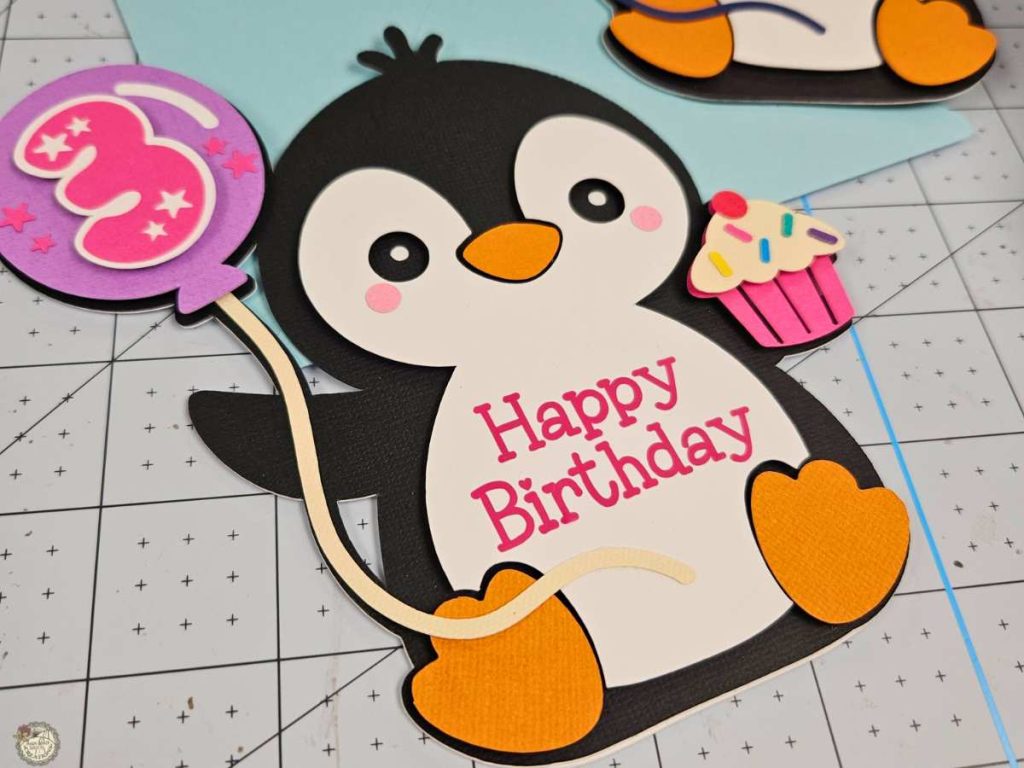
What’s that font?
The font I used for Happy Birthday is called Love Quinn, and the font for the number is called Bright Stars. They can both be found in this bundle.
Installing Fonts and Using Them with Cricut Design Space
Do you need help downloading and adding a font to Cricut Design Space? Check out this quick tutorial!

How to Use the Free Penguin SVG in Cricut Design Space
This is how your Free Penguin Birthday Gift Card Holder SVG will appear once you upload it to Cricut Design Space. The first thing you’ll want to do is right-click on the grouped design and select Ungroup. This will let you move and customize each layer separately.
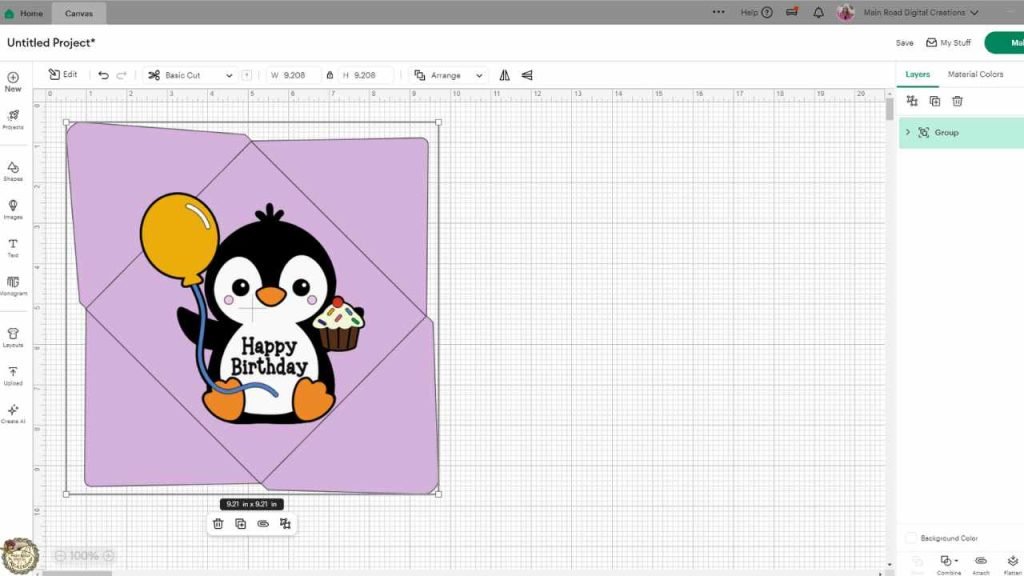
How to Change Score Lines and Attach for the Envelope
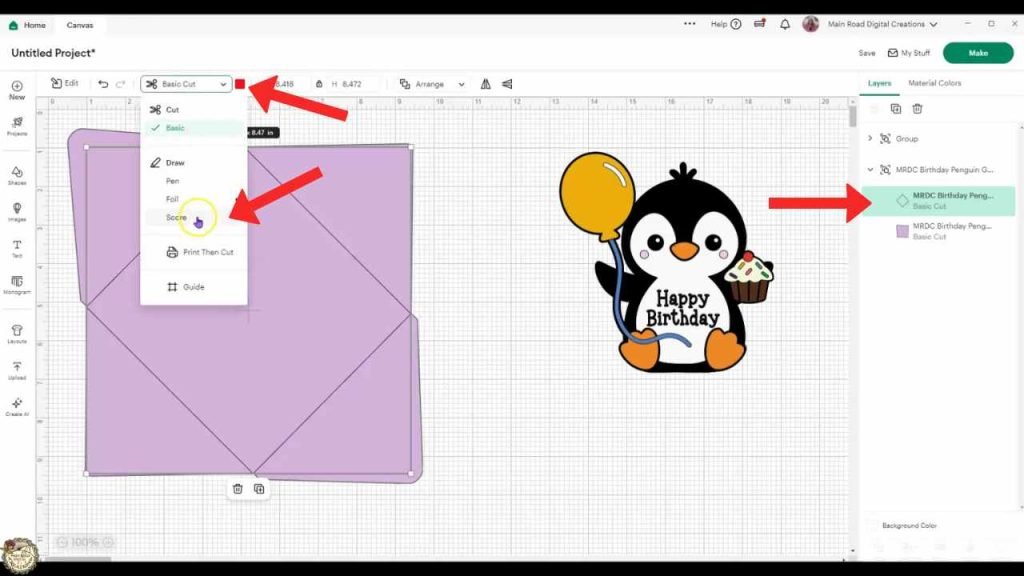
To get clean folds on your envelope, you’ll need to change the center line to a score line. Select the envelope layer and then find the line in your Layers Panel. Click on the dropdown menu at the top where it says Basic Cut, and choose Score instead. This tells your Cricut to score the fold rather than cut it.
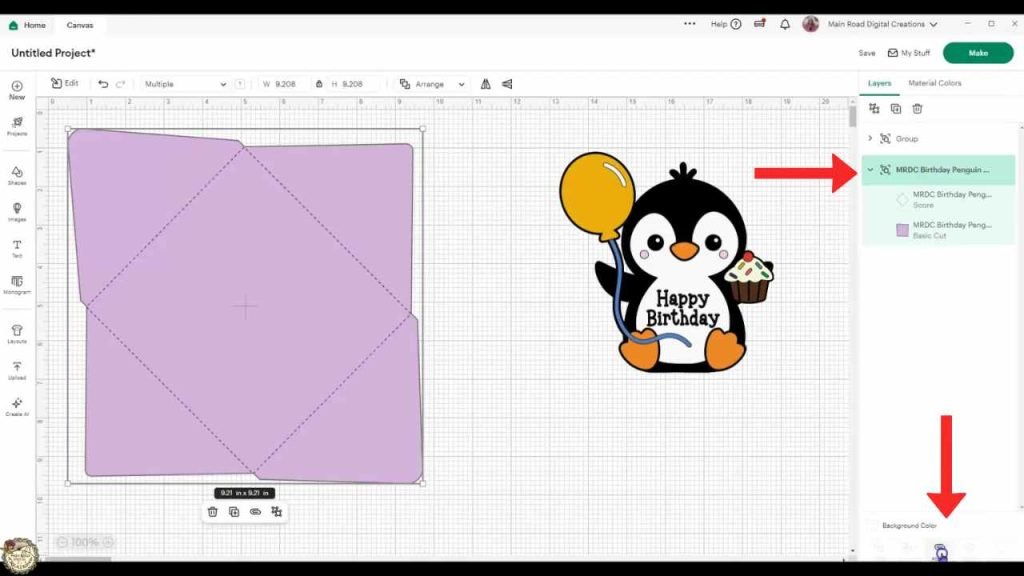
Once your line is set to score, select both the envelope shape and the score line. With both highlighted, click Attach at the bottom right of your screen. This step is important because it keeps the score line aligned with your envelope when sent to the mat. If you skip this, Cricut will treat them separately.
Penguin Gift Card Holder Tutorial – Step-by-Step Highlights
This Penguin Birthday Gift Card Holder is fun and easy to make. Below are a few helpful steps to guide you through the process. Whether you’re new to Cricut or just need a quick refresher, these highlights will help you feel confident as you craft. Want to see the full project in action? Scroll down to watch the complete video tutorial.
Prepare Your Cardstock for Cutting
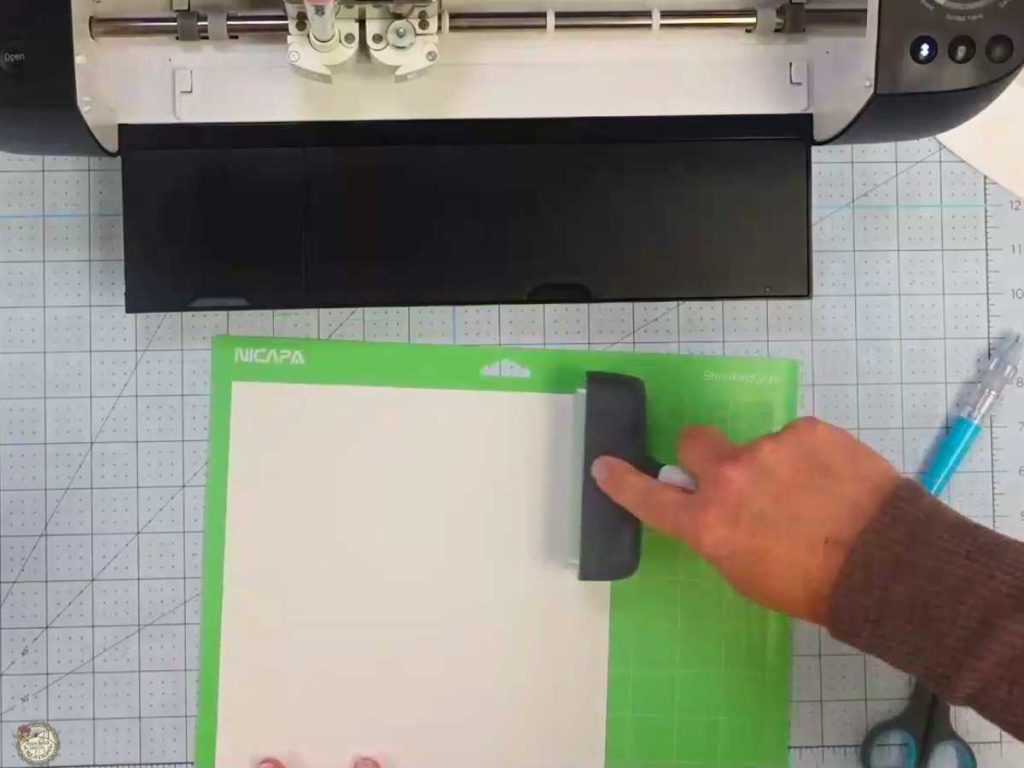
Use a brayer to press your cardstock onto the cutting mat. This helps everything stay smooth and secure during the cut. I’m using white 100 lb cardstock here, so I adjusted my pressure settings to get a clean cut without tearing.
Insert the Scoring Stylus into Clamp A
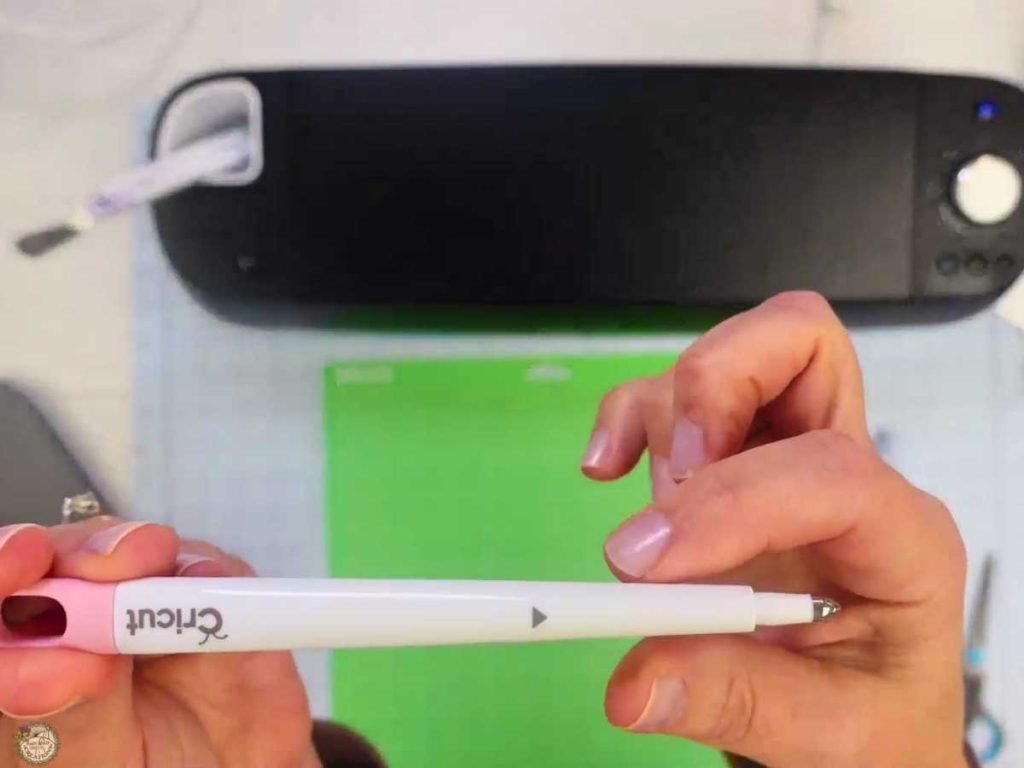
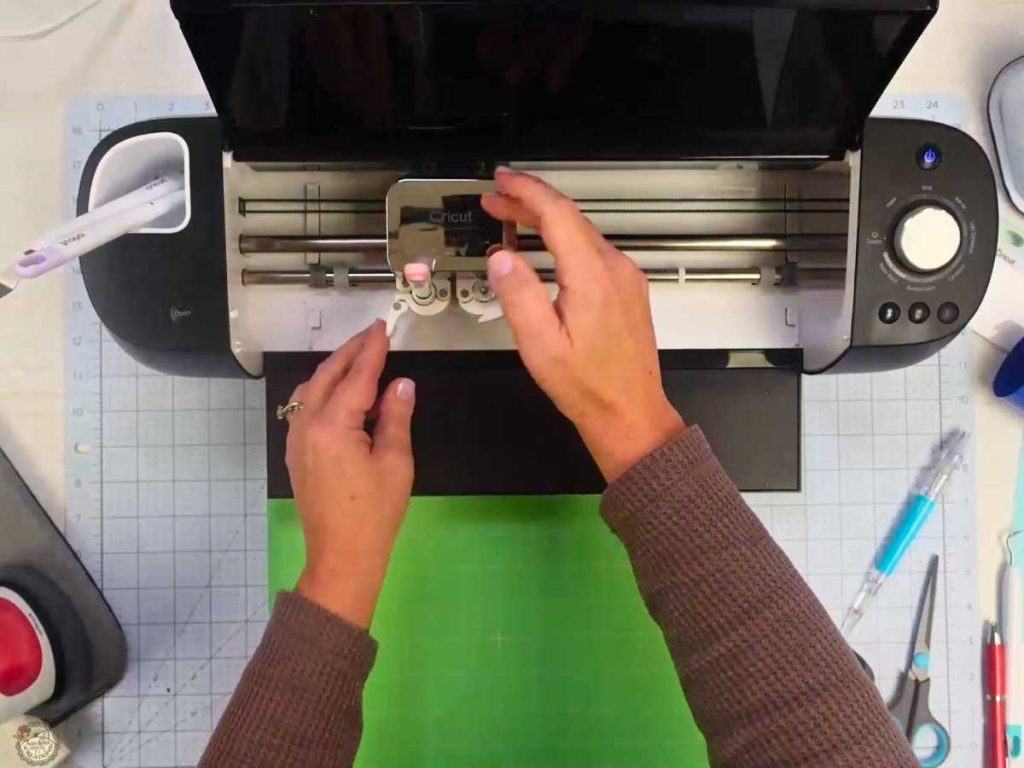
Don’t forget to insert your scoring stylus into Clamp A before cutting the envelope. If you’re new to using the stylus, just slide it in until it clicks, then close the clamp.
Assemble the Penguin Layers
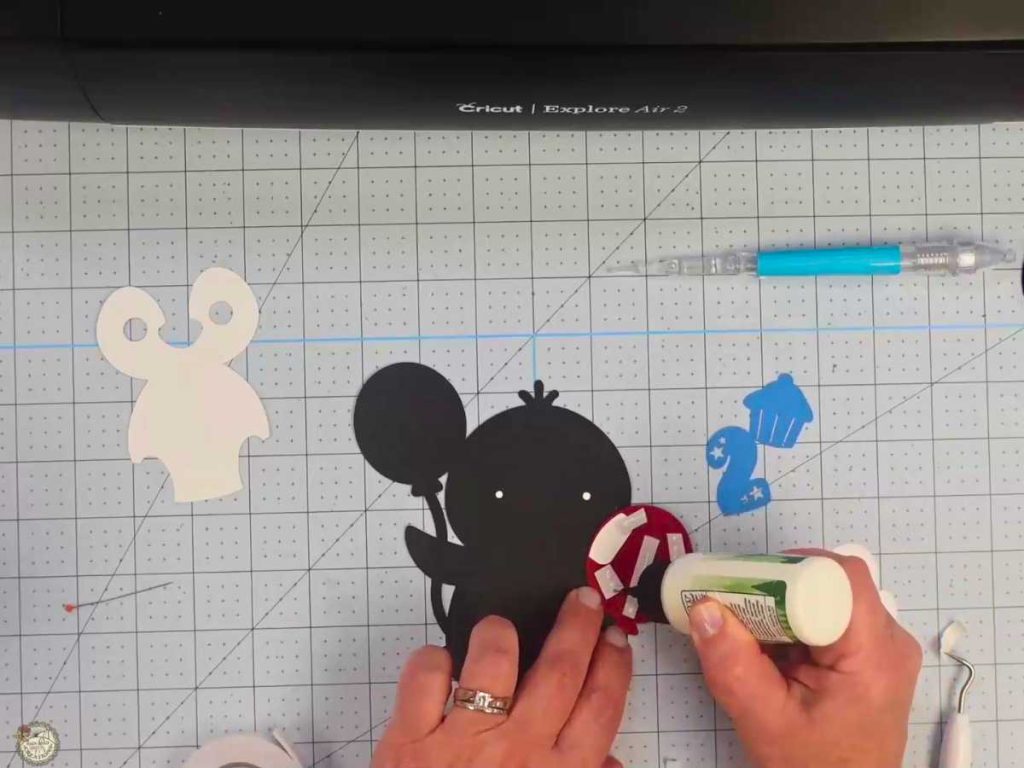
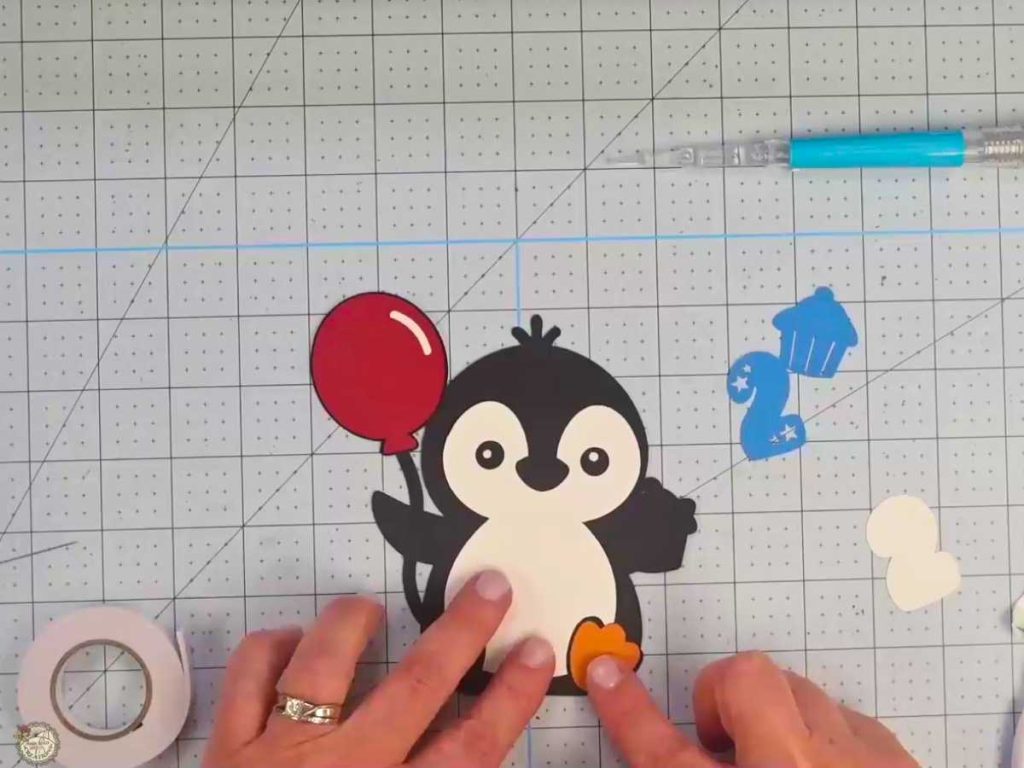
Here’s a look at how I layered the penguin using foam tape for added dimension. The feet, balloon, and body pieces go together easily, and using dry placement before gluing helps everything stay aligned.
Apply HTV to the Penguin

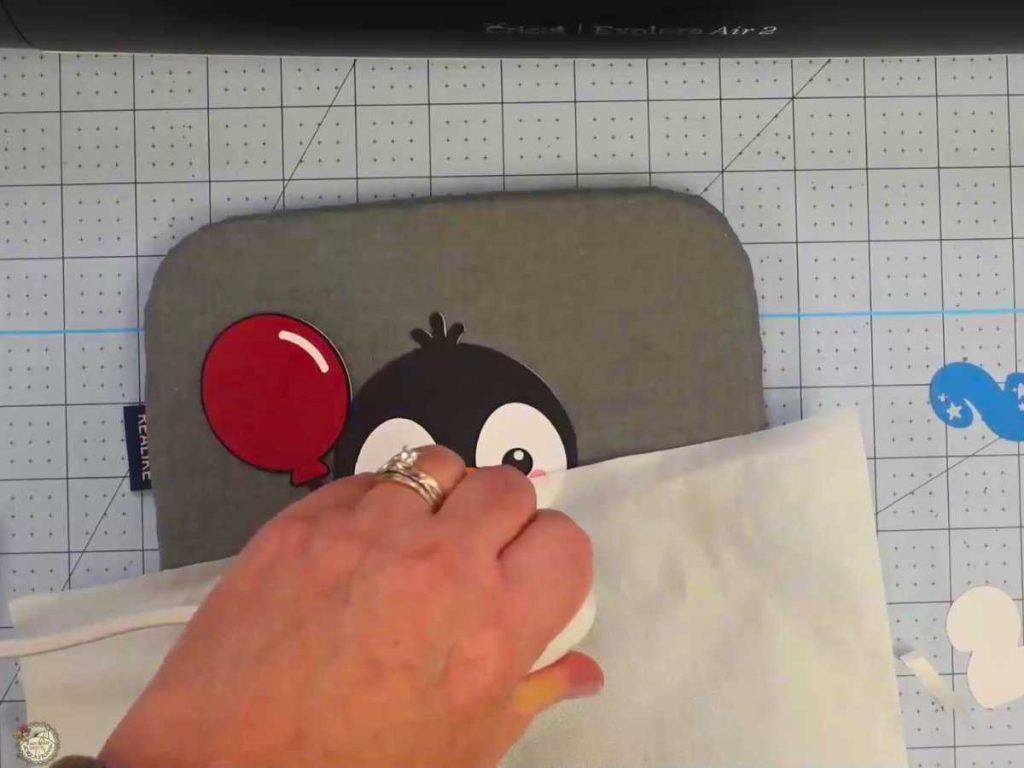
Yes, you can use HTV on cardstock! I used my EasyPress Mini and a small Teflon sheet to add “Happy Birthday” to the front. Just a few seconds of light pressure is all it takes.
Add the Extra Elements and Final Details
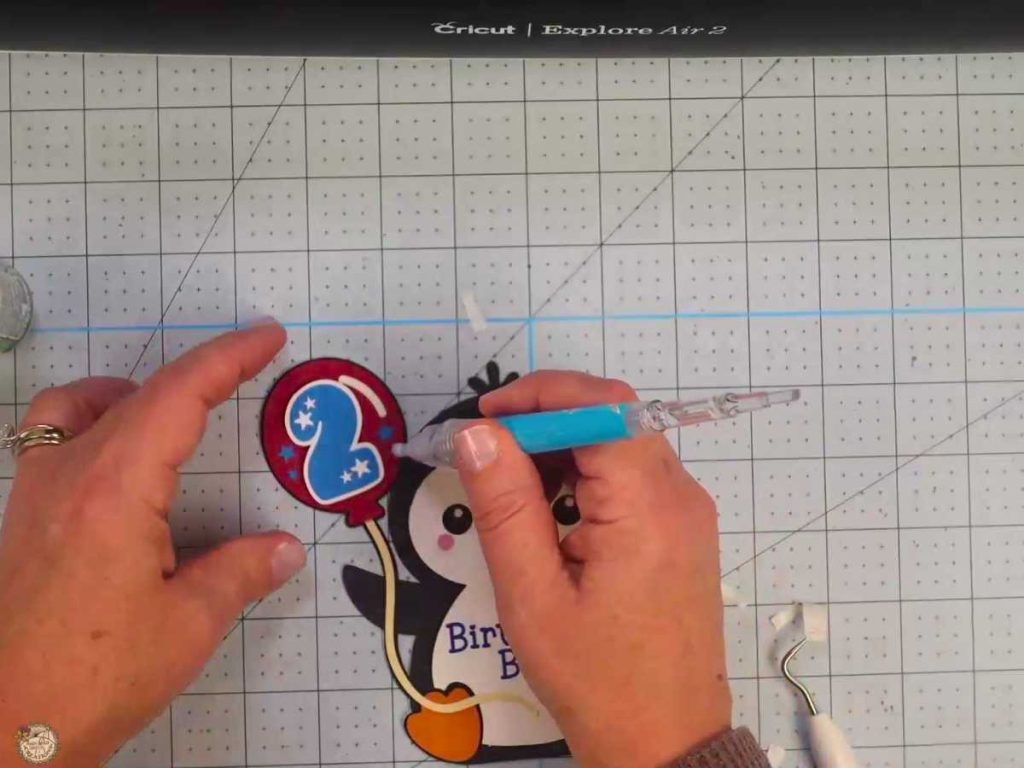
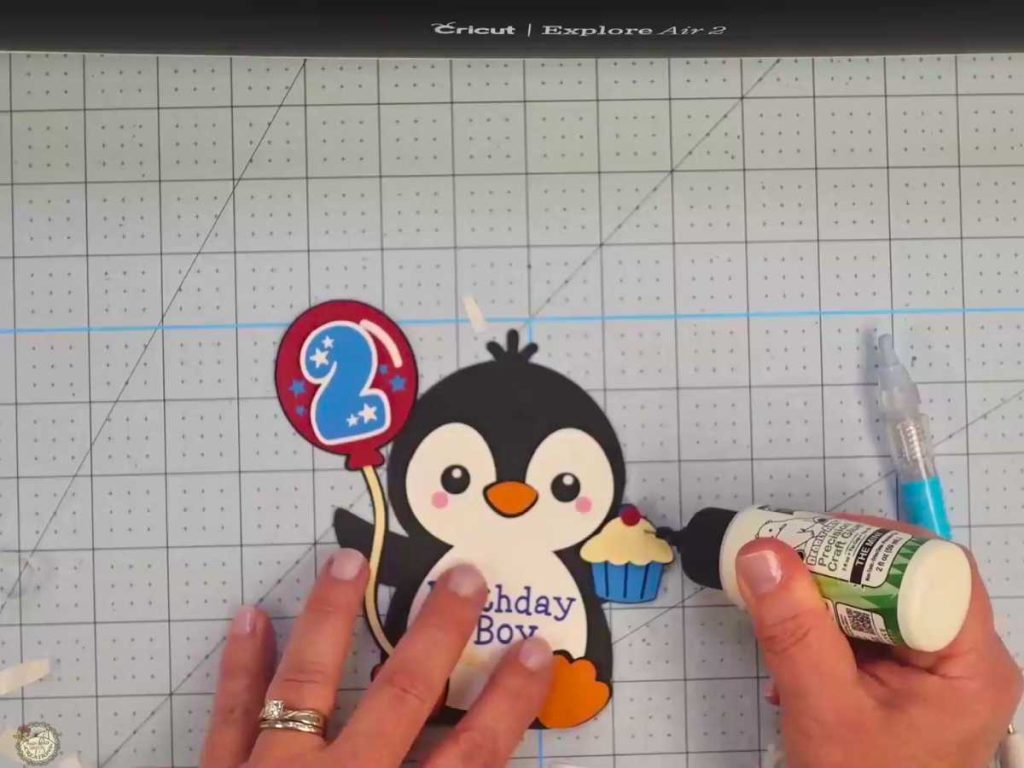
Once the main body is assembled, it’s time to glue on all the little extras. The balloon string, cupcake, number, and sprinkles are what give this penguin his birthday personality. Using a pick-up tool makes handling the smaller pieces so much easier. I also love using craft glue with a fine tip for more control, especially around the curved shapes.
Finish and Fold the Envelope
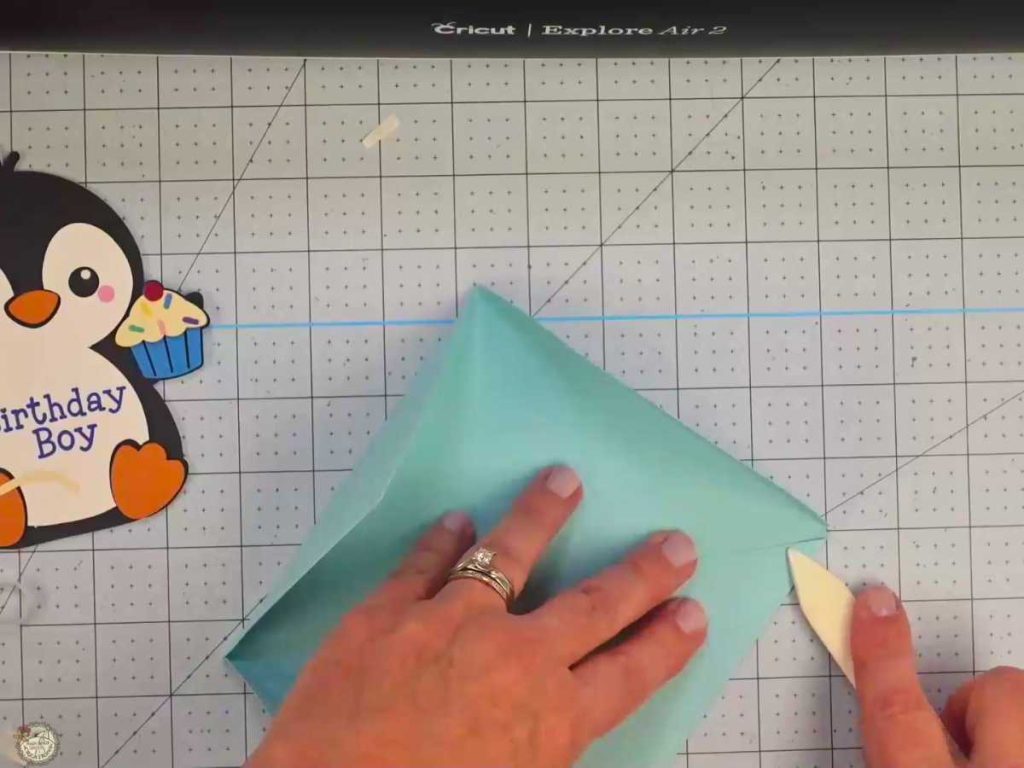
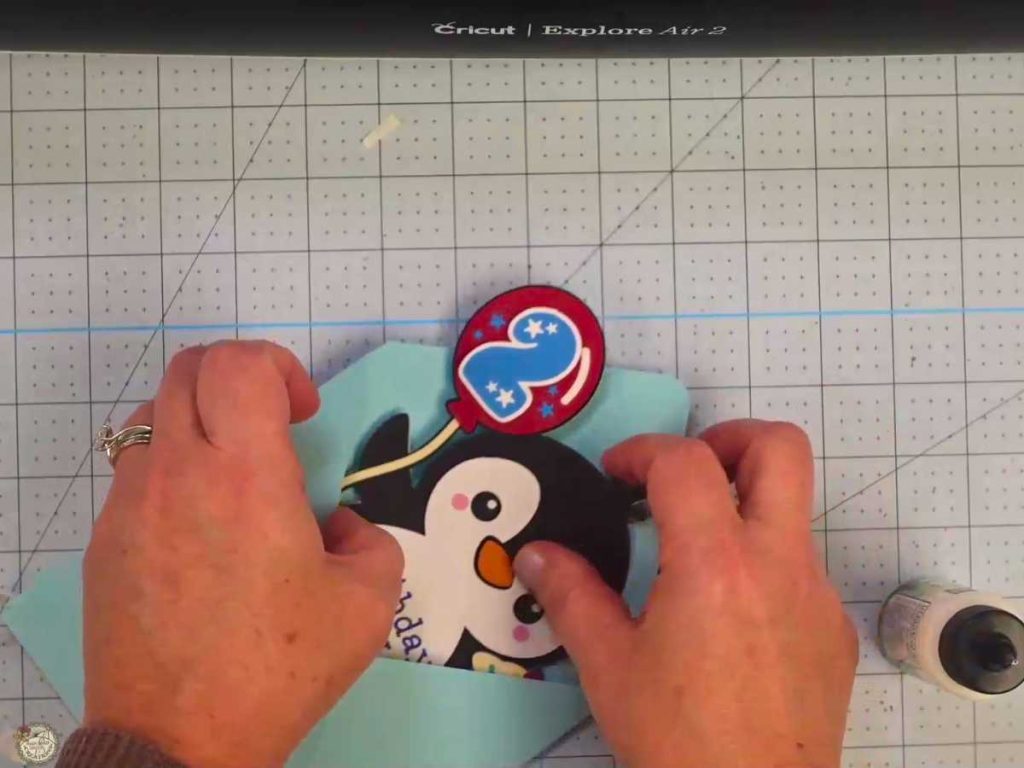
Once your penguin is assembled, it’s time to get the envelope ready. The envelope file is included and is simple to put together after you score and cut it with your Cricut. Use a bone folder or scraper tool to press the folds and give it a crisp, professional look. Let the glue dry before sliding your penguin inside, and you’re ready to gift it!
Customizing your Gift Card Holder SVG
This penguin gift card holder is easy to personalize. The file includes the phrase “Happy Birthday,” but you can swap it out for something else right in Design Space. Add a name, change the number, or mix up the colors to match your celebration. It’s a simple way to make your handmade birthday card even more meaningful.
Supplies to Make Your Penguin Birthday Gift Card Holder
Here’s a quick list of everything I used to make this penguin Happy Birthday gift card holder.
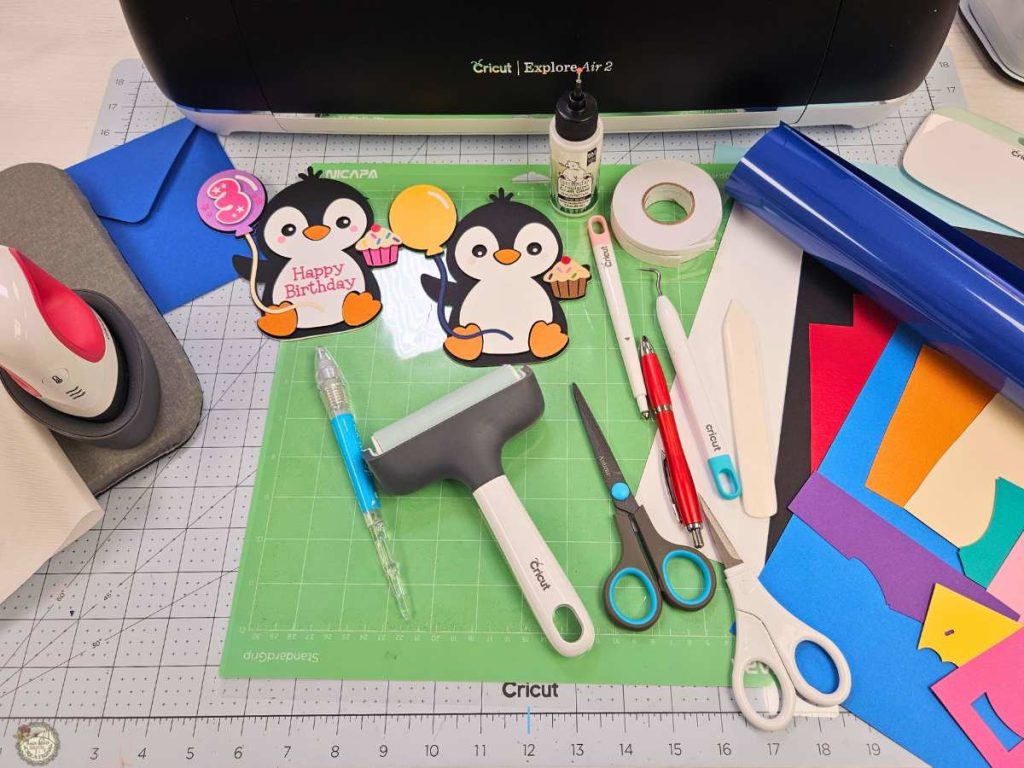
- Cricut – I used my Explore Air 2
- Standard or Light Grip Mat
- Scoring Stylus
- EasyPress Mini
- Heat-Resistant Mat
- Teflon Sheet
- Weeding Tools
- Pin Pen
- Various Colors of Cardstock
- Heat Transfer Vinyl
- Bearly Art Glue
- Pick Up Tool
- Foam Tape
- Bone Folder
- XL Scraper
Step-by-Step Birthday Gift Card Holder Cricut Tutorial
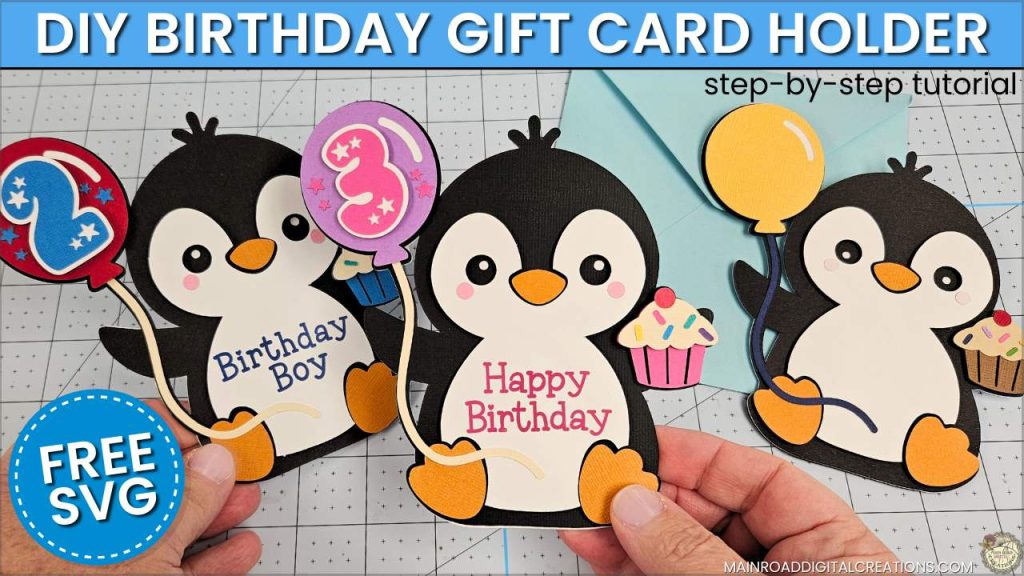
Watch how this cute penguin birthday gift card holder comes together from start to finish in this easy Cricut tutorial. I’ll walk you through the steps, share tips along the way, and show you how to personalize your card with different phrases and numbers. Click below to watch the full video!
Share your Creations
I can’t wait to see how you use this design in your projects! Be sure to share your creations in our Facebook group.

Are you on Facebook?
Join our group!
We’d love to have you!
All of the Free Files on my website are for Personal and Commercial use. Check out my Terms of Use (TOU) here.
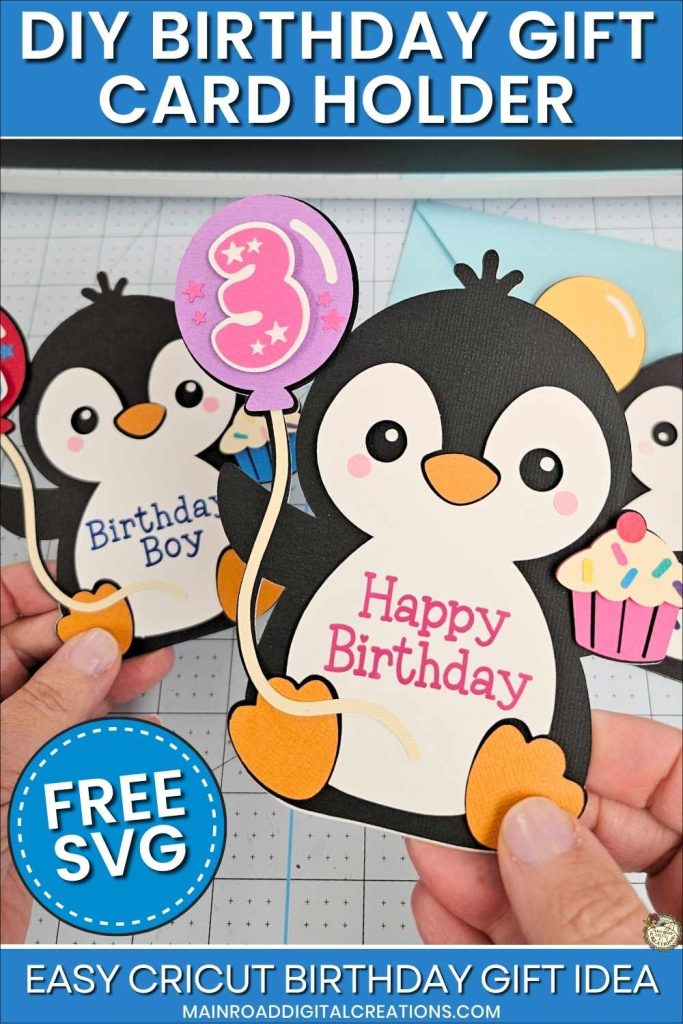
I’d love it if you could take a moment to pin the Free SVG image above to Pinterest. By sharing, you’re helping my business grow, which allows me to keep bringing you the free SVG files you adore. Thanks a bunch for your support. It means the world to me!
Here’s where to find your Free SVG download!
Design #270 – Birthday Penguin GC Holder SVG is available in my freebie library. To get the Password, click the button below and Join our Freebie Club!
Loved This Free SVG? Try Another Fun Cricut Project!

Check out my shop for fun and creative designs!

Join the Creative Fabrica Membership

Fonts, designs, and so much crafty goodness! Over 16 million digital files are waiting! In partnership with Main Road Digital Creations, your first 10 downloads are totally free. After that? It’s just $47 a year (yep, that’s $3.99/month) with full commercial and POD use included. Sign up for Free!