
DIY Keychain Display Cards Cricut Tutorial
Create Stunning Keychain Display Cards with Your Cricut Machine!
This post may contain affiliate links. As an Amazon Associate, I earn from qualifying purchases. Please see my privacy policy for full details.

Craft Your Own Keychain Display Cards with Cricut!
I’m so excited to show you how to make your very own Keychain Display Cards using your Cricut machine!! In this crafting adventure, we’ll dive into the vibrant world of DIY display cards, perfect for showcasing your keychain creations. These cards are a must-have for anyone making or selling handmade keychains. In the Keychain Display Cards Cricut Tutorial video, I’ll demonstrate how to use a few of the free designs that are included in the keychain display card bundle from this week to get you started on your crafting journey. Let’s jump right in and bring your keychain display cards to life!
What Do I Need to Make Keychain Display Cards?
Gather your crafting essentials and prepare for an unforgettable DIY adventure! Here’s what you’ll need to create your beautiful keychain display cards:
- Cricut Explore Air 2– any of the Cricut Machines that use the print-then-cut feature will work for these display cards.
- Cardstock- I used what I had on hand. White and colored. I prefer 65-pound paper or heavier.
- Light Grip or Standard Grip Mat
- Brayer
- Scraper
- Adhesive Tape Applicator
- Liquid Glue
- Thank You Stickers
- Resealable Self-Sealing Bags
- Washi-Tape
- Watercolor Flowers Clipart Set
What’s that font?
The fonts I used on the display cards in the video are as follows: Pamela Script, Alexia Bright, and Funny Pirates.


How to Make Keychain Display Cards

Let’s make keychain display cards together! Follow my step-by-step video tutorial using your Cricut machine. With the free SVG bundle of 30 designs, you’ll have plenty of options to choose from. It’s easy and fun – perfect for crafters of all levels. Let your creativity shine, and start crafting your keychain display cards today!


I’m excited to see what you’ll make with this week’s Free SVG! I’d be thrilled if you joined our Facebook group to share your projects. Come be a part of our crafting community, where you can showcase your work, connect with fellow crafters, and find even more inspiration. Let’s celebrate the joy of crafting together!
All of the Free Files on my website are for Personal and Commercial use. Check out my Terms of Use (TOU) here.

I’d love it if you could take a moment to pin the image above to Pinterest. By sharing, you’re helping my business grow, which allows me to keep bringing you the free SVG files you adore. Thanks a bunch for your support. It means the world to me!
Here’s where you can find your Free SVG Download
Design #165- Free Keychain Display Card SVG Bundle is available in my freebie library. To get the Password, click the button below and Join our Freebie Club!
If you enjoyed this week’s Free SVG and tutorial, here’s another you will love!

Check out my shop for fun and creative designs!

Join the Creative Fabrica Membership

Fonts, designs, and so much crafty goodness! Over 16 million digital files are waiting! In partnership with Main Road Digital Creations, your first 10 downloads are totally free. After that? It’s just $47 a year (yep, that’s $3.99/month) with full commercial and POD use included. Sign up for Free!
Discover My Designs in Cricut Design Space
Are you a Cricut Access member? If so, you’re in for a treat! I’ve got a range of designs available in my Cricut Design Space profile that you might not have seen yet. Perfect for vinyl cutting, sublimation, and more, these designs are ready to add that extra flair to your projects. Take a look and find your next inspiration!


Follow My Cricut Design Space Profile

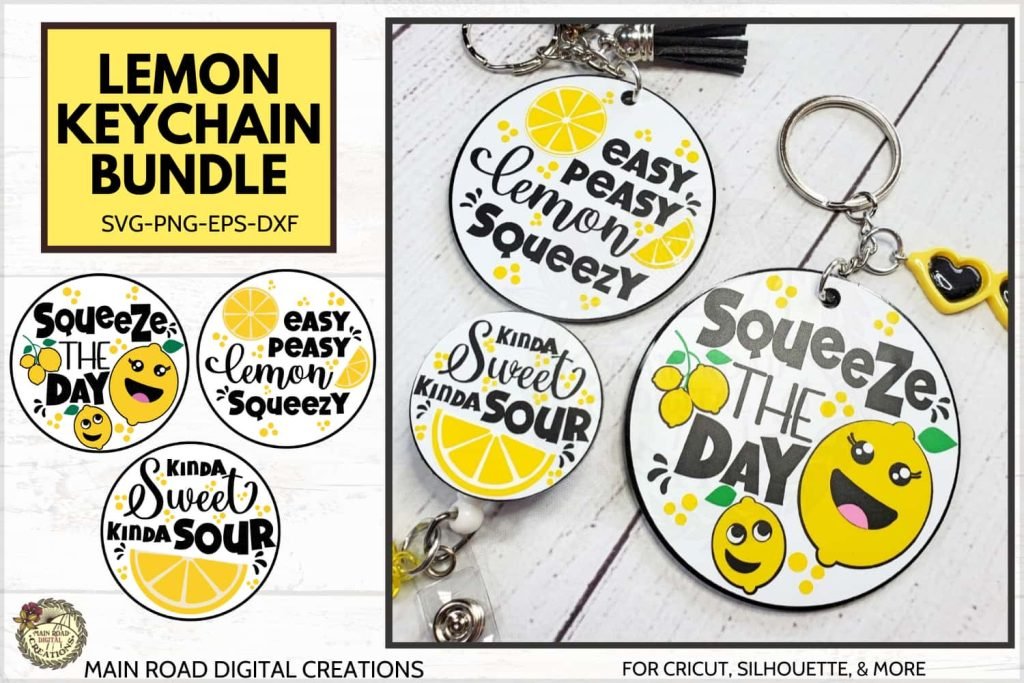
Do you have a tutorial on how to put a pets picture on a keychain as shown in one of your pictures above? That is adorable!
Hi Shirl! 😊I have a tutorial showing how to add an image to a png file with an angel keychain I designed. You can find it on this page, about halfway down:
https://mainroaddigitalcreations.com/tutorials/
Hi. I believe you used 3inch round acryclic blank on keychain projects. Can I use 2 inch instead?Sorry for my question I am brand new on crafting and cricut. Thank you.
Hi! Yes, you can. For the keychains just be sure to keep it all grouped and then resize the entire design. Be aware that the smaller you go the more difficult it may be to get good cuts with your vinyl. Sometimes if you go too small the vinyl can rip. I hope that answers your question. 😊 Please let me know if I can help.
I’m not very crafty but trying to learn and so thankful I came across your site. I’m trying to make keychains for our Teen Idol Murder Mystery dinner and wanted to use your templates, but can’t seem to get them to download. I’ve tried several times and the SVG and PNG just keep getting an error! What am I doing wrong? Thanks!
Hi Kimberly! I sent you an email- please let me know how I can help! 😊
Wow!! Tracy, thanks so much for all your help! I was able to get it figured out with your clear instructions. I honestly didn’t think I’d even get a response let alone up and running so quickly. So glad I found you!❤️
I’m so glad I could help! I appreciate your kind comment. Thank you, Kimberly! 😊❤️