
xTool F1 Laser Crafting: Diving into the World of Laser Crafting
Embarking on a New Craft Adventure with xTool F1
This post may contain affiliate links. As an Amazon Associate, I earn from qualifying purchases. Please see my privacy policy for full details.
If you’ve been following my journey on YouTube or my website, you know that my crafty days typically revolve around Cricut and design space. Today, though, we’re veering off the beaten path, and I couldn’t be more excited. All thanks to the folks at xTool, who decided to throw a laser into my crafting mix!

First off, a massive shoutout to xTool for reaching out and proposing a collaboration that’s nothing short of a crafter’s dream. They presented me with an opportunity to experiment with one of their lasers, and I immediately gravitated toward the xTool F1. Its portability and compact size were just perfect for my cozy craft space down in the basement (yes, without a window!). And guess what? They also sent over an air purifier to tackle the fume situation. How thoughtful is that?
The xTool F1 Unboxing Experience
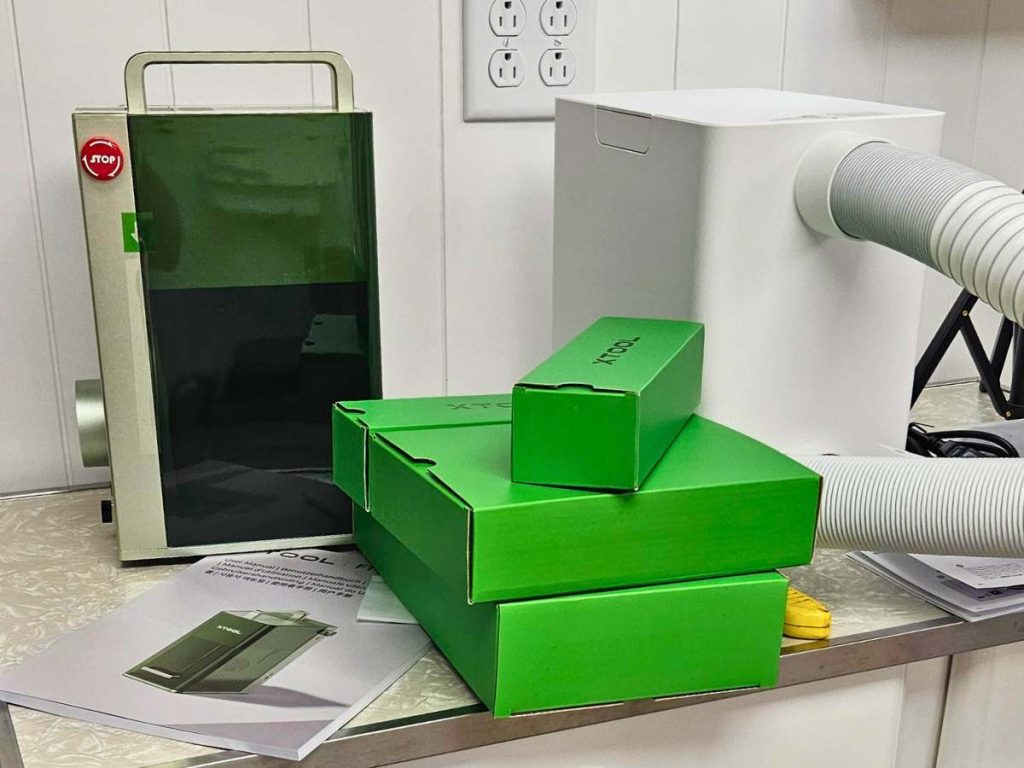
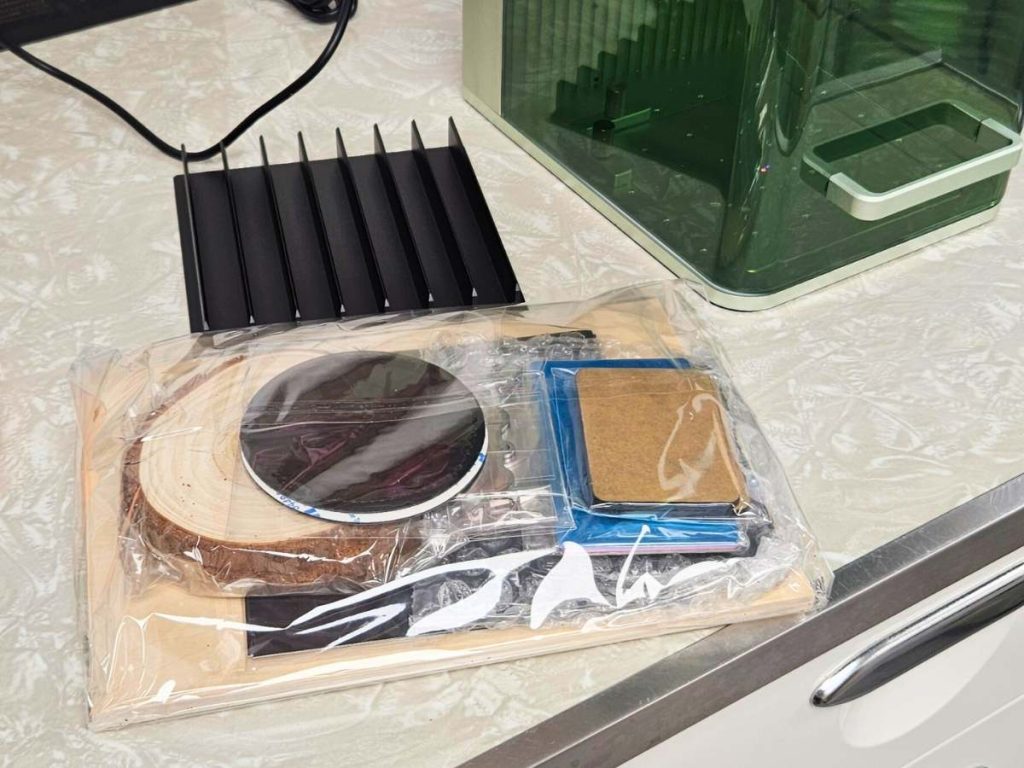
The moment I unboxed the xTool F1, I felt like a kid at Christmas. But better! Inside, you’ll find:
- xTool F1 Desktop Laser Machine: The star of the show.
- Power Adapter & Cord: To fuel the magic.
- Ventilation Pipe: Sayonara, fumes!
- USB Cable: The essential tether.
- Triangular Prism Plate & L-shaped Positioning Piece: For precision positioning.
- Lint-Free Cloth: Keep that lens gleaming.
- Spare Key: Because safety never takes a holiday.
- Grease: For those smooth moves.
- A Sampler Pack of Materials: The canvas for your creativity.
Setting Up: The best part? The xTool F1 is primed and ready for action straight out of the box. For those who snagged the air purifier, simply connect it using the included hose to ensure your crafting space remains odor and fume-free. No purifier? No problem! You can still dive into laser crafting by directing the ventilation pipe out a window to safely expel any fumes. Either way, you’re all set to embark on your laser crafting journey.
Watch the xTool in Action: My First F1 Laser Crafting Projects

Are you excited to see what the xTool F1 laser can do? I’ve jumped right in, experimenting with everything from charms to tote bags, and it’s all in my latest video. Witness the laser magic unfold and maybe even craft along with me. Check out the video below, and let’s dive into laser crafting together!
Check out this handy video on getting your laser connected to wifi – it was a game-changer for me!

Why the xTool F1 for Laser Crafting?
- Portability Galore: Honestly, the size and ease of moving the xTool F1 around are game-changers. Whether it’s a craft show or a change of scenery within your home, this machine is up for the adventure.
- Air Purifier: The air purifier is a neat addition, especially for those of us who lack direct access to outdoor ventilation. It works wonders in keeping the air clear and odor-free while you create.
- Quick and Efficient: The xTool F1 impresses with its swift operation, making your crafting projects come to life faster than ever. It is ideal for efficient and productive crafting sessions.
First Projects and Impressions of the xTool F1
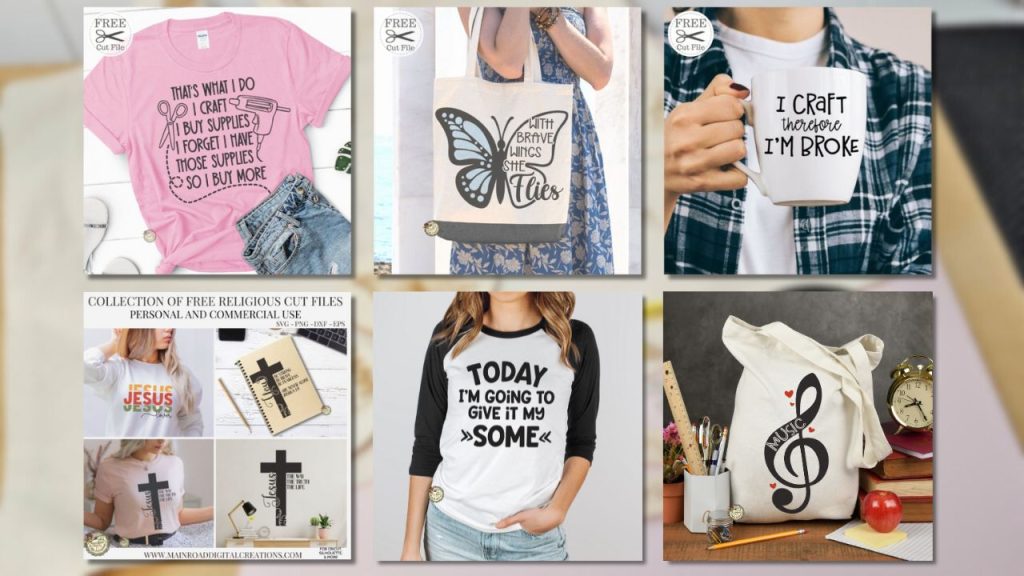
Jumping into laser crafting felt like exploring a new universe. I put the xTool F1 through its paces, engraving everything from charms to tote bags. Along the way, I utilized a variety of SVG files to bring my projects to life. Below are the names of the designs I used, along with links to where you can find them so you can use them in your own creations.

For those curious about the specific fonts I used in each design, worry not! Head over to the individual blog posts linked with the design names above, where you’ll find detailed information on font names and links to where you can find them.
- I Craft – That’s What I Do
- With Brave Wings
- I Craft Therefore I’m Broke
- Collection of Religious Files (Jesus Lover)
- Today I’m Going to Give it My Some
- Free in my Creative Fabrica Store
- Free if you have Cricut Access
- Music Note
- Available for purchase in My Shop
- Free if you have Cricut Access
- The font I used around the music note is Tippy Tappy.
Exploring Materials with the xTool F1
The xTool F1 isn’t just a laser engraver; it’s your ticket to a vast universe of materials. From the vibrant hues of acrylic (note: clear acrylics are off the guest list) to the sleek touch of anodized aluminum and from the transparency of glass to the earthy feel of bamboo and cork, the crafting possibilities are endless.

Heads up: When it comes to acrylics, color is your best friend. Clear variants (including white) tend to give the laser a slip, making them tricky for projects.
What can you transform with the xTool F1?
For details on what materials you can transform with your xTool F1 and the settings to make your projects pop, head over to xTool’s official product page. And if you’re craving a deep dive into material settings, the EasySet Library guide in the learning center is your go-to resource.
Installing Fonts & Adding Glyphs in xTool Creative Space
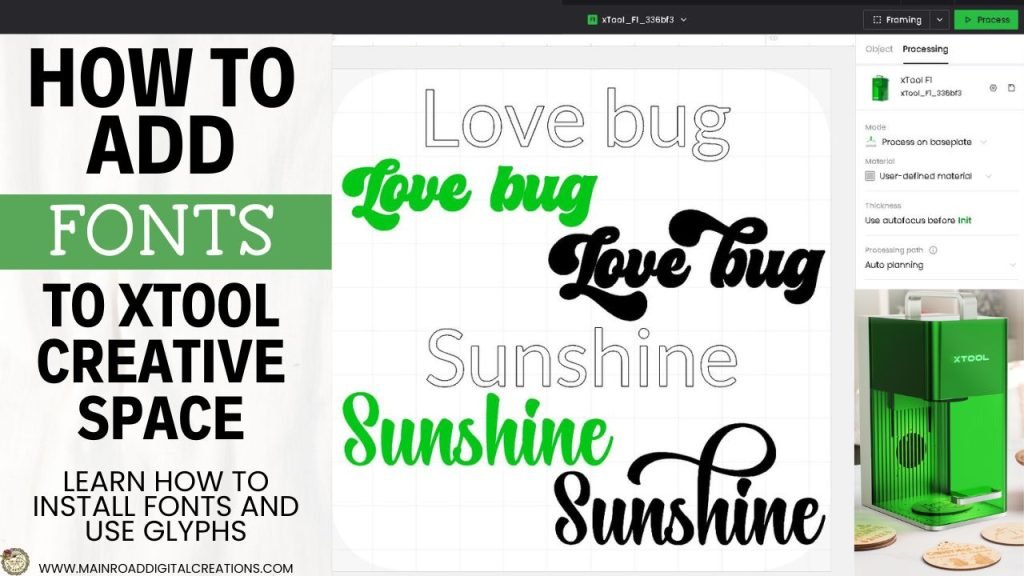
In this video, I’m going to walk you through how to download and install fonts to your computer for xTool Creative Space, making sure your laser projects have that extra flair. XCS can be tricky; let me help you figure out font glyphs! Plus, I’ll show you how to add glyphs using the Character Map from the Microsoft Store on your Windows PC so your designs can have that special touch. Let’s get those fonts looking fabulous!

I’d be thrilled if you pin the image above showcasing the xTool F1 Laser Engraver to Pinterest. Your support helps my blog grow and enables me to continue sharing insights and experiences with innovative tools like the xTool F1 that elevate our crafting projects. Thank you so much for your support. It means the world to me!
xTool F1 Laser
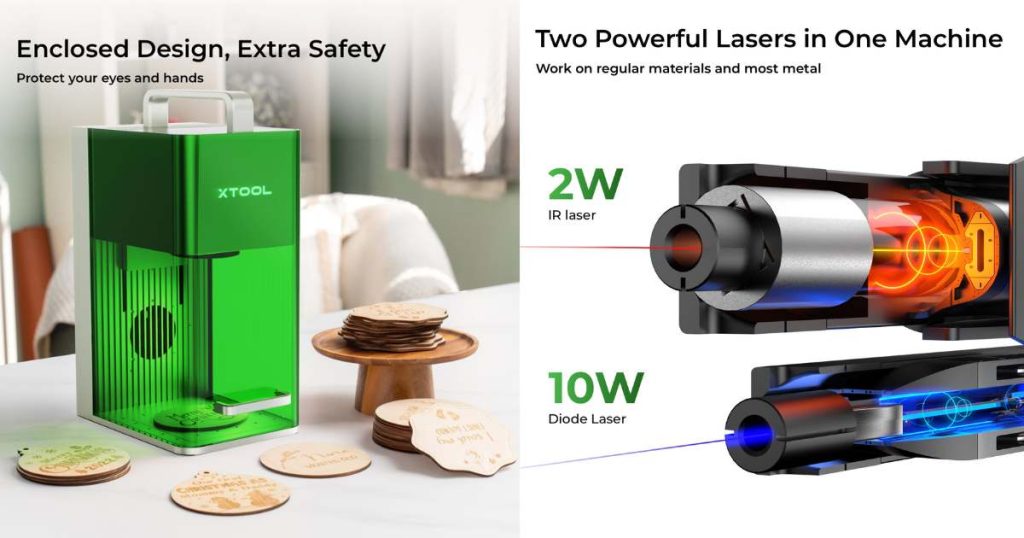
A big thank you to xTool for embarking on this collaboration journey with me and for offering you a special treat! Use the code TRACY80 to snag $80 off any purchase of $999.00 or more. It’s their way of saying thanks for joining us on this laser crafting adventure. Here’s to countless more creative projects we’ll explore together!

Are you on Facebook?
Join our group!
We’d love to have you!
Join Me on This Laser Crafting Journey
The crafting journey is endless, and the xTool F1 is just the beginning. Intrigued by the endless possibilities of laser crafting? Join me! Follow me on YouTube, and together, we’ll explore, create, and, yes, even botch things up now and then. But hey, that’s where the fun is!
Discover My Designs in Cricut Design Space
Are you a Cricut Access member? If so, you’re in for a treat! I’ve got a range of designs available in my Cricut Design Space profile that you might not have seen yet. Perfect for vinyl cutting, sublimation, and more, these designs are ready to add that extra flair to your projects. Take a look and find your next inspiration!




Follow My Cricut Design Space Profile

Join the Creative Fabrica Membership

Fonts, designs, and so much crafty goodness! Over 16 million digital files are waiting! In partnership with Main Road Digital Creations, your first 10 downloads are totally free. After that? It’s just $47 a year (yep, that’s $3.99/month) with full commercial and POD use included. Sign up for Free!
